
A locker may look simple, but its lock shapes daily access, maintenance, and security. The right Smart Locker Lock depends on who uses it, how often it opens, and what happens when power or connectivity fails. A busy school corridor has different needs from a staff room or parcel area. Small details matter. They often get overlooked.
This guide compares common options, including keypad, RFID or NFC, Bluetooth-enabled, mechanical, and biometric locks. Keypads are familiar and avoid carrying a separate credential, though shared codes can become difficult to manage. RFID and NFC locks support quick access with a card or tag, but lost credentials need a clear replacement process. App-connected locks can offer remote management and access records, while relying on compatible devices and dependable setup. Mechanical locks are straightforward and do not need batteries. They may provide fewer management features. Biometric models can reduce dependence on cards or codes, but require careful attention to privacy, reliability, and user comfort.
No type is best in every setting. Compare installation, battery life, backup access, durability, and the way users receive support. Ask how the lock behaves during a power outage. Test it with real users, not just a showroom demonstration. That may reveal awkward steps. A neat feature list does not guarantee an easy routine. The sections ahead explain the trade-offs, so buyers can match a lock type to actual locker use rather than choose by technology alone.
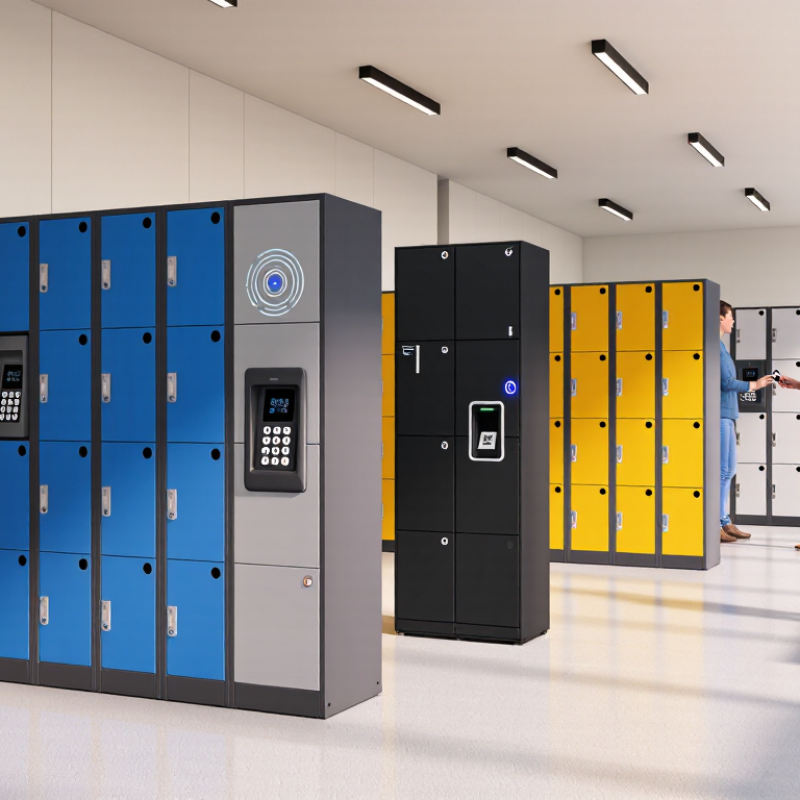
PIN-code smart locker locks give users access through a keypad instead of a physical key. A visitor enters a code, hears a soft click, and opens the assigned door. That feels simple. For gyms, workplaces, and shared changing rooms, codes can be issued for one visit or reused, depending on the lock’s setup.
The keypad should be easy to read under dim lighting and responsive to light pressure. A clear display helps users notice an incorrect digit before trying again. In daily use, staff should explain whether a code expires and what to do if it is forgotten. Keep instructions short. A crowded lobby is not the place for a long lesson.
PIN access also has trade-offs. Codes can be shared or observed, and frequently used buttons may show wear over time. Longer codes may be harder to remember; shorter ones may be easier to guess. There is no perfect setting for every locker room. Managers should choose code rules that fit the users, test the lock during busy periods, and check batteries and keypad condition on a regular schedule. One detail is easy to overlook: a backup access procedure matters when the keypad stops responding.
RFID and NFC locker locks let users open a compartment with a card, fob, or compatible phone. A reader checks the credential, then releases the latch when access is approved. RFID covers several radio-frequency systems; NFC is a short-range option commonly used with phones and cards. The terms are not interchangeable in every installation. Check the reader’s supported frequencies and credential formats before choosing a lock. A card that works at the office entrance may not work at the lockers. Small detail. Big inconvenience.
For busy gyms, schools, and staff rooms, tap access can reduce key handling and make assignment changes easier. Administrators may issue, replace, or deactivate credentials through a management system, though features vary by setup. Ask how the lock behaves during a power or network outage, and whether access events are stored locally. Security depends on more than the word “NFC”; encrypted communication and careful credential management matter too. I would not assume a phone tap is always faster. Cold fingers, bulky cases, or a drained battery can change that. Test the reader on the actual locker door, with real users, before installing a full row.
Bluetooth-enabled mobile locker locks let users open a locker with an authorized phone, often through a dedicated app. They suit gyms, offices, and shared storage areas where managing many physical keys can become tedious. A user might tap “unlock” beside a locker, then hear the latch release. The phone can also help staff issue or revoke access without replacing a key.
Bluetooth is designed for nearby access, but performance depends on the lock, phone settings, and surroundings. Metal locker doors may weaken the signal, so test the system on the actual locker bank before installation. Battery life matters, too. Choose a lock with a clear low-battery alert and a documented backup method, such as an administrator-controlled override. Keep access permissions limited, and remove them promptly when users no longer need entry.
Convenient, not flawless. Shared facilities should explain what happens if a phone is lost, discharged, or unavailable. A simple printed instruction near the lockers can prevent confusion during busy hours. Mobile access may also require users to install an app and enable Bluetooth, which is not ideal for everyone. That trade-off deserves attention before choosing this lock type.
What Are the Top Smart Locker Lock Types?
Biometric Smart Locker Locks
Biometric smart locker locks use a person’s physical feature, often a fingerprint, to verify access. A user enrolls a print, then touches the reader to open the assigned locker. In a busy changing room, this can save time compared with carrying a key or remembering a code. Convenient, not infallible.
Performance depends on the reader and the conditions around it. Damp fingers, worn skin, dirt, or a scratched sensor may prevent a match. Good systems allow careful enrollment and provide a backup method, such as a PIN or staff-assisted reset. Check how the lock handles low batteries, lost access, and multiple users before choosing one. A smooth demo does not prove it will work equally well after months of daily use.
Privacy deserves equal attention. Ask whether biometric data stays on the lock or is stored elsewhere, how access records are managed, and who can change enrollment settings. For shared lockers, clear procedures help prevent accidental lockouts when staff or users change. Test the reader with the people who will actually use it, including those with varied hand conditions. I would not treat fingerprint access as the only option; convenience can come with awkward exceptions.
Fingerprint readers typically require users to touch the sensor. Facial recognition, iris scanning, and palm-vein scanning are typically contactless. Actual requirements vary by device design and installation.
Cloud-managed networked locker locks connect individual doors to a central software system through Wi-Fi, cellular service, or a local gateway. Staff can issue access codes, change permissions, and review activity without visiting every locker. That matters. A campus team, for example, can assign a compartment for a scheduled pickup and set its access window in advance.
These systems can reduce key handling and make access records easier to review. An administrator might notice repeated failed attempts at one locker or remove access after a staff member changes roles. Yet an activity log does not explain every event; a door sensor may record opening without confirming what happened inside. Reliable setups include clear user permissions, secure account controls, and a plan for network interruptions. Some locks support local access during outages, but the exact behavior varies by model and configuration.
Before choosing a system, check how it handles software updates, data retention, and service disruptions. Ask who can view access records, and how quickly lost credentials can be disabled. A small pilot can reveal practical issues, such as weak signal inside a metal cabinet or confusing instructions on a touchscreen. Those details are easy to overlook. Cloud management can simplify daily oversight, but it also adds dependence on connectivity and account administration. Keep a documented manual procedure for urgent access, and test it with the people expected to use it.
| Lock Type | How Access Works | Typical Network Setup | Key Advantages | Practical Considerations | Common Use Cases |
|---|---|---|---|---|---|
| RFID / NFC Credential Lock | A user presents a card, fob, or compatible NFC credential to a reader. The system checks whether the credential is authorized for that locker. | Lockers connect through a wired controller, access-control panel, or networked locker controller. Some systems buffer authorized credentials during a network outage. | Fast, familiar access; suitable for high-throughput environments; credentials can be managed centrally. | Lost cards or fobs need to be revoked. Credential compatibility and reader placement should be checked before installation. | Workplaces, campuses, gyms, and staff storage areas where users already carry access cards. |
| PIN Keypad Lock | A user enters a PIN on a keypad. Depending on the system, codes may be assigned to users, issued for a limited time, or selected for temporary use. | Networked models report events and receive configuration through a controller or network connection; some retain local access rules if connectivity is interrupted. | No physical credential is required; temporary codes can be convenient for visitors and shared-use lockers. | Codes can be shared or observed, so access policies should support code changes, expiration, and appropriate privacy controls. | Visitor storage, shared facilities, and locations where issuing cards is inconvenient. |
| Mobile Credential Lock | A smartphone presents an authorization using Bluetooth Low Energy (BLE), NFC, or a combination of technologies. | Lock hardware may communicate with a nearby gateway or controller; the management platform can update permissions and receive events when the network is available. | Reduces reliance on physical cards; mobile credentials can be provisioned or revoked remotely, subject to system configuration. | Users need a compatible phone and an access method supported by the lock. Phone battery, permissions, and wireless range can affect the experience. | Modern workplaces, residential buildings, and facilities that already use mobile access credentials. |
| QR-Code Access Lock | A user scans a displayed code or presents a code from a phone. The code may represent a temporary authorization; the locker system validates it before release. | Usually depends on a networked reader, controller, or kiosk to validate access and synchronize bookings or permissions with a cloud service. | Useful for one-time or short-term access and can simplify locker assignment without issuing a card. | A QR code is an access credential, not necessarily the lock’s communication method. Screen visibility, code sharing, and network availability should be considered. | Parcel collection, event venues, coworking spaces, and temporary visitor access. |
| Biometric-Enabled Lock | A reader compares a fingerprint or another supported biometric characteristic with an enrolled template before granting access. | Often uses a local controller for matching, with network connectivity for administration and event reporting. Biometric data handling depends on system design. | Can provide convenient access without a card or PIN and ties access to an enrolled individual. | Requires careful enrollment, hygiene and accessibility planning, and appropriate privacy and data-protection practices. A fallback method is advisable. | Restricted staff areas or facilities where identity-linked access is required and permitted. |
| Hybrid / Multi-Credential Lock | Supports two or more methods—such as card, PIN, and mobile credential—according to the user’s permissions or operational policy. | Typically managed through a networked controller or gateway that synchronizes settings and events with a central or cloud-based platform. | Offers flexible access options and can provide an alternative when a user cannot use the primary credential type. | More credential options can increase configuration and support requirements. Confirm which methods work during network or power interruptions. | Mixed-use buildings, multi-tenant sites, and facilities serving employees, visitors, and contractors. |